Insight
A workflow that only works with clean inputs is a demo.
A workflow that only works with clean inputs is not automation. It is a demo.
Open the diagram description
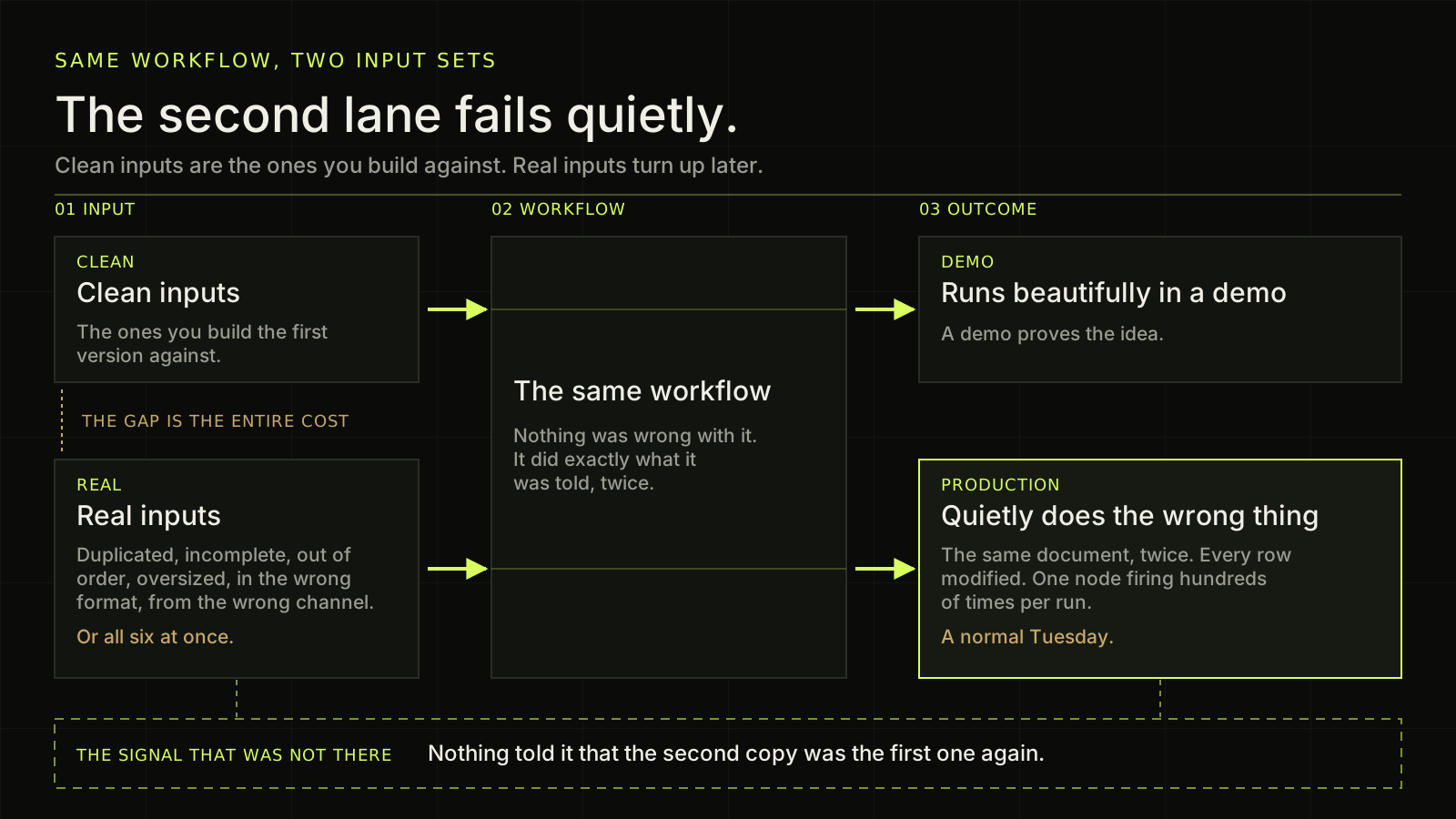
A dark diagram in three columns, read from left to right, showing one workflow fed by two different kinds of input. Column one, headed input, holds two boxes. The upper box, tagged clean, is titled Clean inputs and says they are the ones you build the first version against. The lower box, tagged real, is titled Real inputs and says they are duplicated, incomplete, out of order, oversized, in the wrong format, from the wrong channel, or all six at once. In the space between those two boxes a short note in warm gold reads: the gap is the entire cost. Column two is a single tall box titled The same workflow, and two faint green lines run straight through it from side to side, one at the height of each input box, showing that both sets of input pass through identical code. That box says nothing was wrong with it, it did exactly what it was told, twice. Column three, headed outcome, holds two boxes at the same two heights. The upper one, tagged demo, is titled Runs beautifully in a demo and says a demo proves the idea. The lower one, tagged production, is drawn with a bright green outline to mark it as the important box. It is titled Quietly does the wrong thing and lists the three failures the article describes: the same document twice, every row modified, one node firing hundreds of times per run. Under that list a warm gold line reads: a normal Tuesday. Green arrows run from each input box into the workflow box and out of it again to the matching outcome box, so the two paths look exactly alike. Across the bottom of the picture sits a wide box drawn with a dashed outline and no fill, which stands for something absent rather than present. It is labelled: the signal that was not there. Beside that label the sentence reads: nothing told it that the second copy was the first one again. Two dashed lines drop down into that empty box, one from the real inputs box and one from the production outcome box, showing that no warning was raised at either end of the path.
Most automation fails the first time it meets real data, and it fails in the same few ways every time. Something arrives twice. A field that was always there is missing. An API that answered instantly all week starts taking seconds. Somebody replies from an address nobody expected. None of that is an edge case. That is a normal Tuesday, and a workflow that has not been designed for it will run beautifully in a demo and quietly do the wrong thing in production.
What does a real input actually look like?
Clean inputs are the ones you build the first version against, because they are the ones you have when you are testing. Real inputs turn up later, and they are duplicated, incomplete, out of order, oversized, in the wrong format, from the wrong channel, or all six at once. The gap between those two sets is where the entire cost of an automation project lives.
Three of my own systems taught me that in three different ways.
The same document, twice, two seconds apart
The same WhatsApp document arrived twice, two seconds apart, and got processed twice.
Nothing was wrong with the workflow. It did exactly what it was told, twice, because nothing told it that the second copy was the first one again. That is what idempotency is for: the ability to receive the same instruction twice and produce the same result once. A Files Registry now sits in front of that path and deduplicates across email and WhatsApp, so a document that arrives through two channels still creates one piece of work.
One leading space, and a write quota
A sync kept rewriting the same rows every run until it hit the spreadsheet API write limit. The cause was a single leading space that broke the change hash, so every row looked modified.
The obvious diagnosis was that the sync was too big for the quota. The real one was that the change check was wrong, so nothing was ever unchanged. The fix was to trim before hashing and then write only what actually differed.
Rate limits are usually a symptom. The cause is almost always upstream, in how change is detected.
69 failures over about seventy hours, from one setting
One missing setting caused 69 workflow failures over about seventy hours. A node was firing hundreds of times per run instead of once.
It ran perfectly against a test with one record. Against a real result set it behaved like a completely different program. Node-level execution semantics are not a detail you can leave until later, because the version that works on one row is not a smaller version of the version that works on a thousand. It is a different program that happens to agree with it once.
So what do you build instead?
The same five things, in the same order, every time.
- Map the real process and who owns each step.
- Build the smallest useful workflow, not the complete one.
- Test it against messy inputs and against the failure modes, not against the clean case.
- Add logging, alerts, a fallback and scoped access before it becomes business-critical, not after.
- Document it and hand it over.
None of that is exotic and none of it is expensive at the start. All of it is expensive at the end.
A demo proves the idea. A production system proves the idea survives contact with the people and the data that will actually use it. Those are different pieces of work, and only one of them is worth paying for.
The inputs you actually get
What do your real inputs look like?
Tell me what actually arrives, duplicates and blanks included. I will tell you which of it a workflow has to be designed around.
Tell Dan on WhatsApp (opens in a new tab)or email dan@burdetsky.xyz